Gain Instant Visibility with Real-Time Fleet Mapping
In the fast-paced world of logistics and transport, knowing where your vehicles are at any moment is crucial. Fleet managers often grapple with the challenge of limited visibility into vehicle locations, resulting in wasted time and resources. Drivers calling in to report their positions can slow down operations, pulling your team away from more productive tasks.
Enter Syntra’s Real-Time Fleet Map. This powerful feature gives you a dynamic view of your entire fleet, enabling you to see every vehicle's location, status, and speed on an interactive map. Whether you are at your desk or out in the field, Syntra provides the insights you need to streamline operations and enhance productivity.
All Vehicles at a Glance
With Syntra, you can see every vehicle plotted on a live map with color-coded status indicators. Green means moving, gray indicates stopped, and red shows offline. This allows you to monitor your fleet without having to switch between screens.
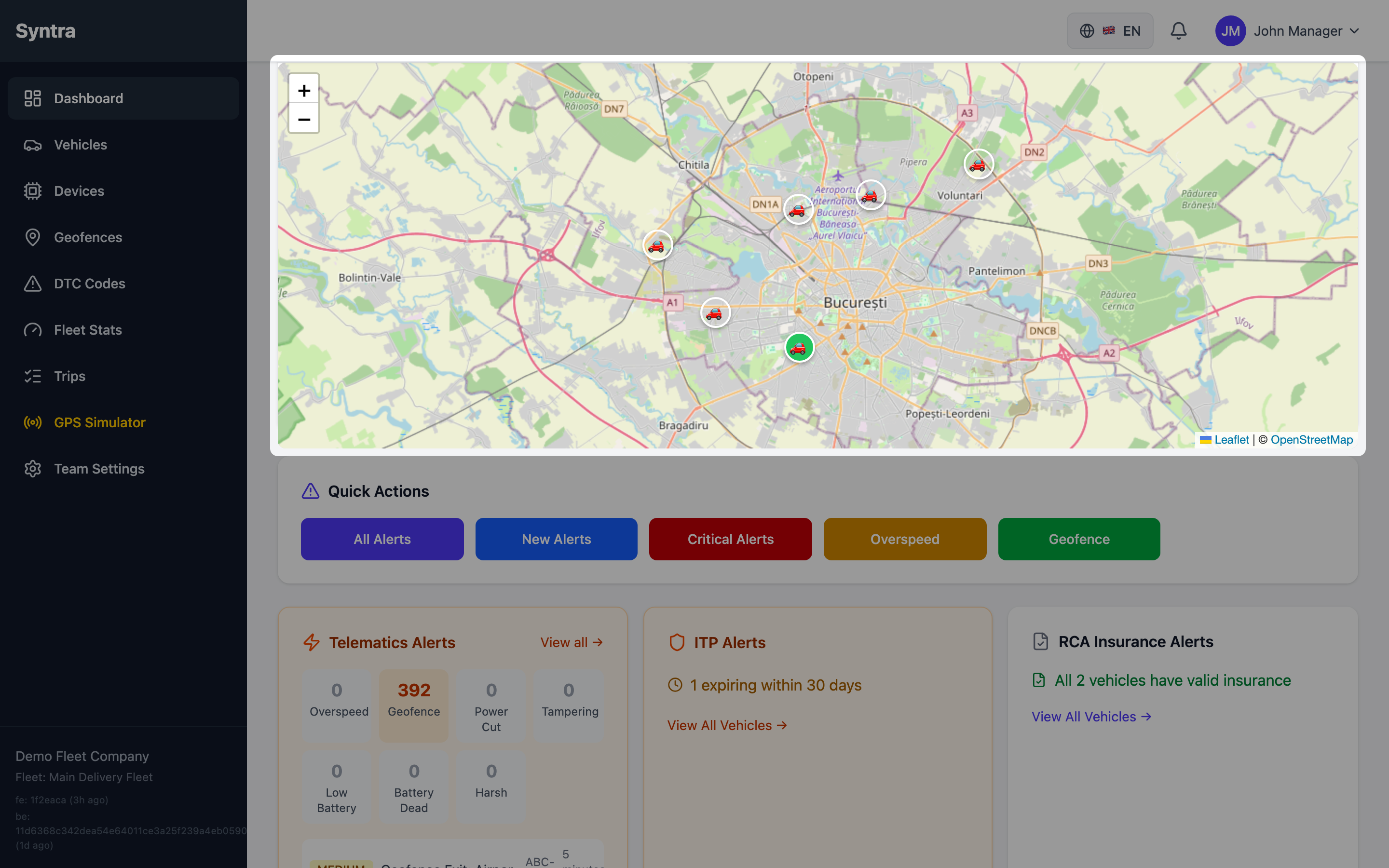
Having all vehicles visible at once simplifies fleet management. You no longer have to rely on outdated reports or guesswork. Instead, you can make informed decisions based on real-time data.
Real-Time Details at Your Fingertips
Clicking on any vehicle reveals real-time details such as speed, last update time, and current address. This feature ensures that you have the most up-to-date information at your fingertips.
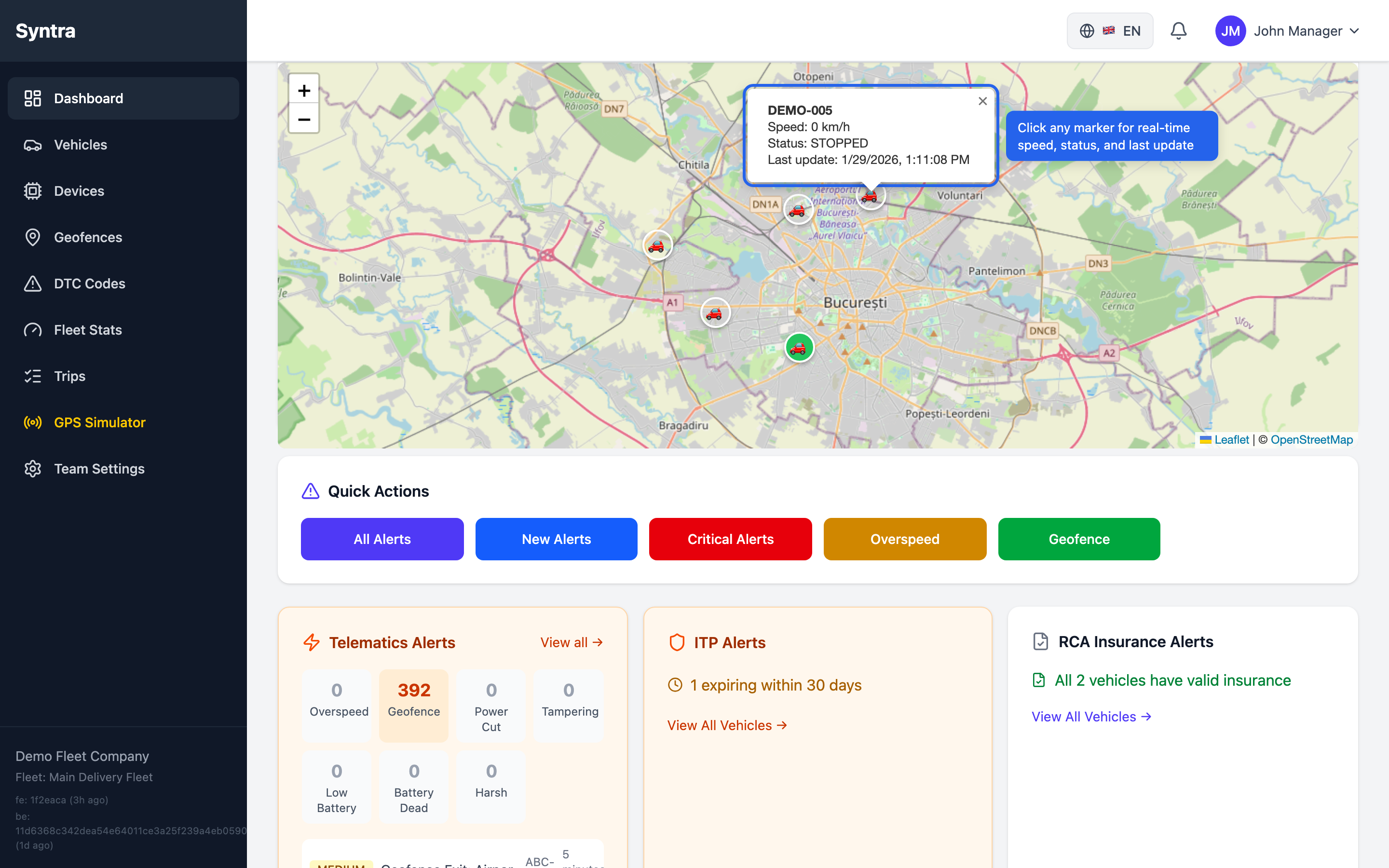
The position updates in seconds, giving you true real-time tracking. With this level of detail, you can respond promptly to any issues that arise, enhancing customer service and operational efficiency.
Snapshot of Fleet Status
The dashboard provides a real-time snapshot of your fleet status. You can view key performance indicators (KPIs) such as distance driven and alerts at a glance.
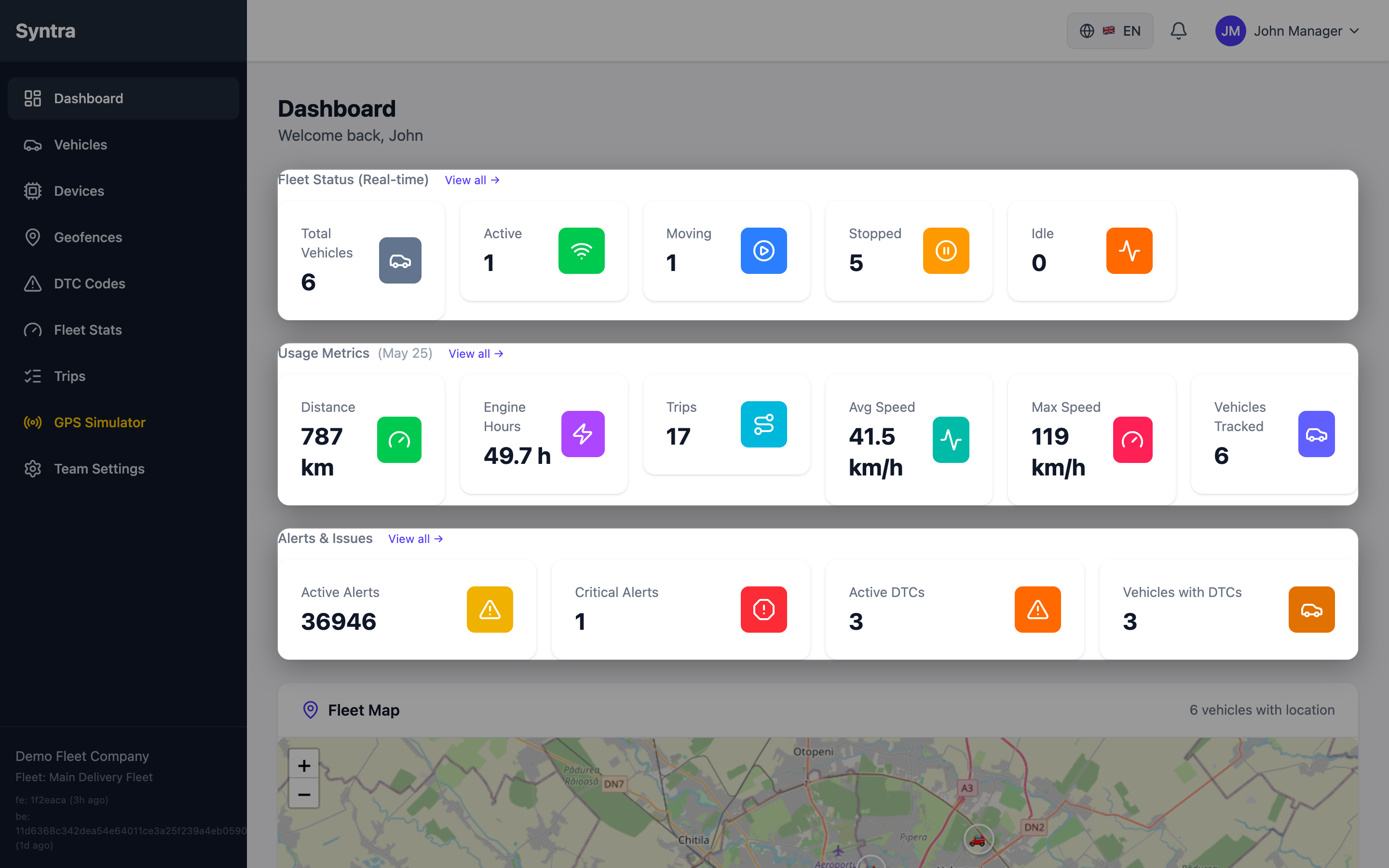
These six real-time KPIs update automatically as vehicles move. This means you can keep your finger on the pulse of your operations without being tied to your desk.
Track Vehicles from the Field
What if you need to check your fleet status while on the go? Syntra’s live map is fully functional on mobile devices. Track vehicles from the field without the need for a dedicated app installation.
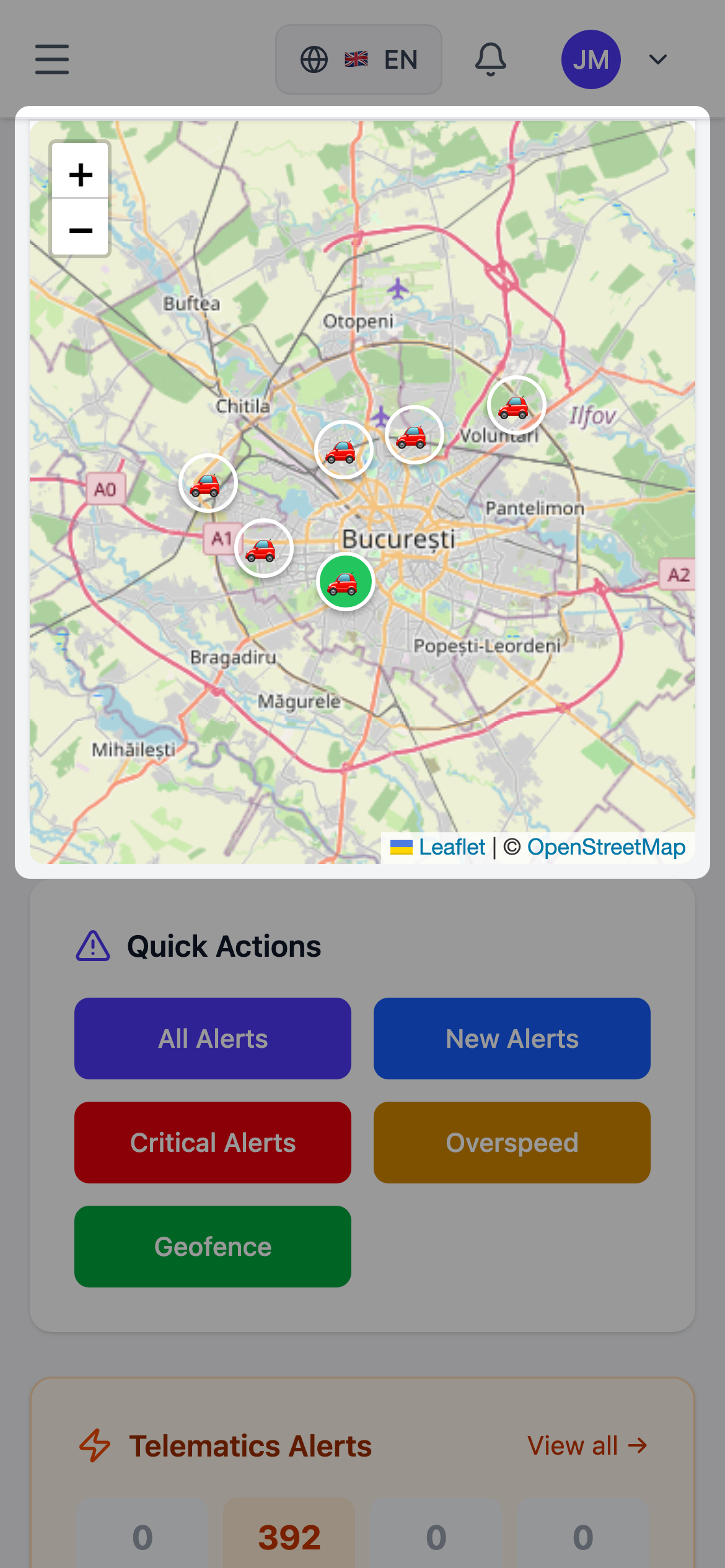
The mobile interface allows you to pinch to zoom and tap for details, making it easy to access critical information when you need it most.
Mobile-Friendly Fleet Management
Checking fleet status from anywhere is now a reality. KPIs and alerts adapt perfectly to your phone screen, ensuring that you are always informed.
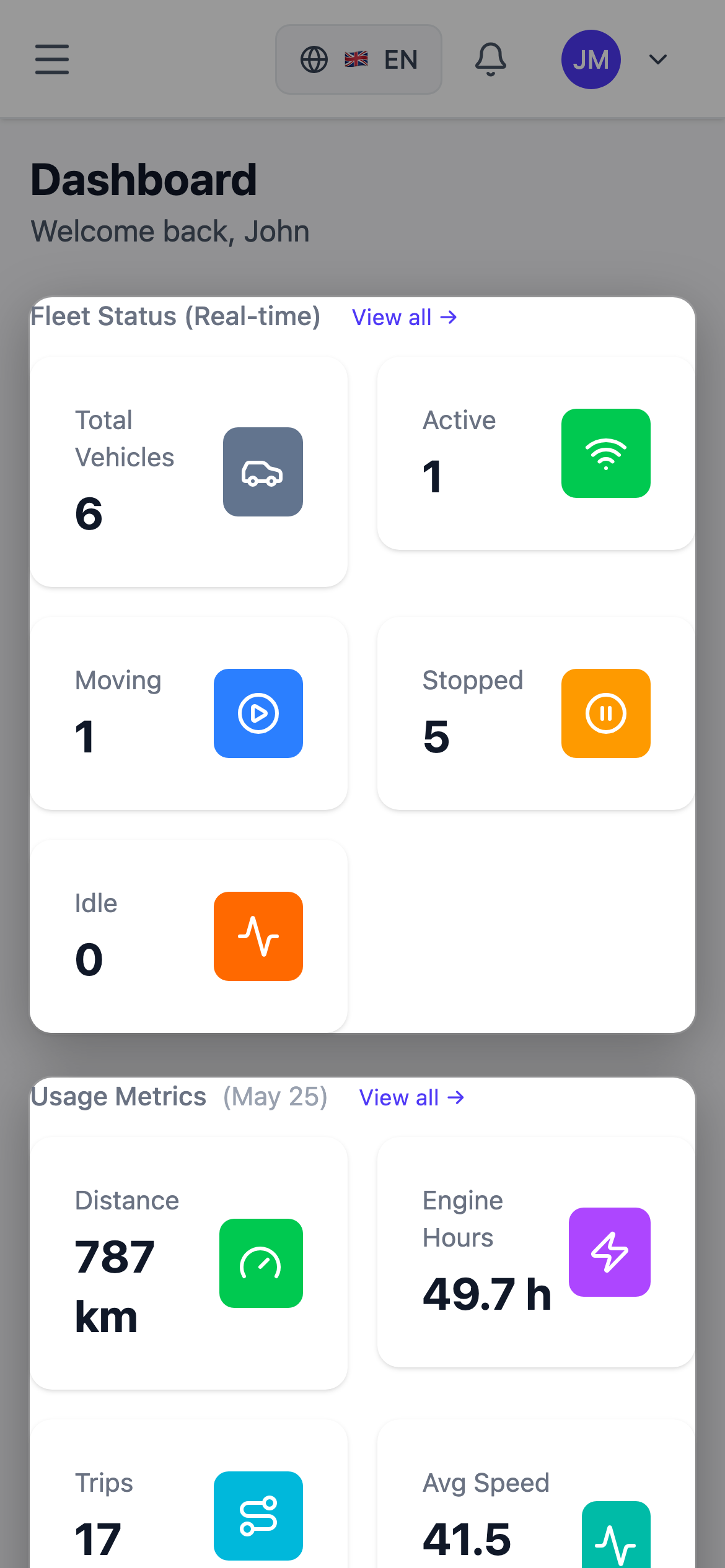
No separate app is needed; everything works seamlessly in any mobile browser. This flexibility ensures you are always connected to your fleet, regardless of your location.
Discover the Power of Real-Time Visibility
With Syntra’s Real-Time Fleet Map, you can eliminate the headaches associated with limited visibility. Gain insights into your fleet’s performance and make data-driven decisions that enhance efficiency.
See your fleet on the map - request a live demo.
See it in Action
Want to experience the Real-Time Fleet Map for yourself? Watch the walkthrough to see how it works in real time.